10 Business Tasks to Automate Now
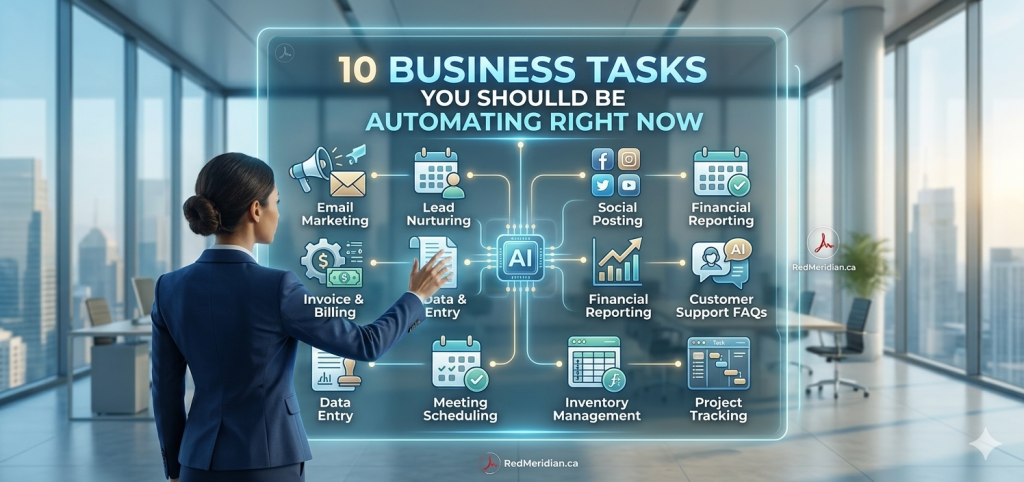
10 Business Tasks You Should Be Automating Right Now
Automation isn’t just a buzzword; it’s a strategic shift that can help companies save time, improve accuracy, boost productivity and stay competitive in an AI‑driven economy. In 2026, 94% of companies say they still perform repetitive, time‑consuming tasks, yet automation has improved jobs for 90% of knowledge workers and increased overall productivity for 66% of employees. With 80% of organizations planning to adopt intelligent automation by 2025, businesses that ignore these tools risk falling behind.
Below are ten business tasks that can and should be automated right now. Each section briefly explains what automation looks like in practice, highlights key benefits, and cites recent research to back up the recommendations. Images illustrate the possibilities of AI‑powered tools. At the end of the article you’ll find a list of further reading and references.
1. Coding & Software Development
Modern AI models are transforming software development from a purely human endeavour into a collaborative process. According to Anthropic’s 2026 Agentic Coding Trends Report, AI coding agents moved from experimental tools to production systems by 2025; they now handle entire workflows such as writing tests, debugging failures, generating documentation and navigating complex codebases. The report notes that engineers use AI for roughly 60% of their work, yet they can fully delegate only 0–20% of tasks, which means human oversight is still critical.
Why automate coding?
– Faster feature delivery: Tasks that used to take hours or days can now be completed in hours. This frees engineers to focus on architecture and strategy instead of writing boilerplate code.
– Improved testing and quality: Automated tests and code analysis catch errors early, reducing bugs in production.
– Scalable development: As single agents evolve into coordinated teams, companies can ship features in hours rather than days.
How to start: Use AI pair programming tools that generate code snippets, write unit tests or create documentation from natural language descriptions. Then implement a review process where human engineers validate the AI’s output and refine it as needed.
2. Scheduling & Calendar Management
Scheduling meetings, planning agendas and sending follow‑ups are some of the most time consuming administrative tasks. AI meeting assistants can automate the entire meeting cycle booking, agenda creation, note‑taking and follow‑up emails and save up to 1.5 hours per meeting cycle for reps and service teams. These assistants also send recaps to CRM systems and draft personalized follow‑up emails within minutes.
Why automate scheduling?
– Reduced admin overhead: Automating scheduling, agenda prep and note‑taking frees staff to focus on content and relationships.
– Faster lead conversions: Research shows 50% of deals go to the vendor who follows up first, and responding within 5 minutes makes companies 9× more likely to convert a lead. Automated follow‑ups ensure you never miss critical time windows.
– Better meeting outcomes: AI generates agendas, captures action items and highlights key points, reducing meeting fatigue and helping teams stay aligned.
How to start: Implement AI powered scheduling tools that connect to your calendar and CRM. Configure them to handle meeting invitations, coordinate availability across time zones, and automatically log notes into your CRM.
3. Data Entry & Document Processing
Manual data entry is error prone and inefficient. Studies show automated data entry systems have accuracy rates between 99.59% and 99.99%, while human data entry ranges from 96% to 99%. Without a verification layer, manual data entry can have an error rate as high as 4%, equating to 4 errors per 100 entries. For 10,000 entries, automated systems produce 1–4.1 errors, while human workers make 100–400 errors.
Why automate data entry?
– Higher accuracy: Automation dramatically reduces errors, improving data quality and compliance.
– Faster processing: AI and OCR tools extract data from invoices, forms and bank statements in seconds.
– Lower labor costs: Eliminating manual data entry frees staff to focus on analysis and decision‑making.
How to start: Adopt document‑processing tools that use OCR and machine learning to capture data from scanned documents. Integrate these tools with your ERP or accounting software to import data directly.
4. Customer Support & Chatbots
AI powered chatbots and virtual agents handle routine customer inquiries around the clock. The global chatbot market was valued at $7.76 billion in 2024, and analysts expect the conversational AI market to reach $61.69 billion by 2032. Importantly, 80% of companies use or plan to use AI‑powered chatbots for customer service, while 59% of consumers believe generative AI will change how they interact with businesses.
Why automate customer support?
– 24/7 availability: Chatbots can handle up to 80% of routine inquiries and respond instantly, improving customer satisfaction.
– Cost savings: Deploying chatbots reduces the need for large support teams and shortens response times, which leads to higher retention and conversions.
– Data collection: Chatbots gather conversational data to help companies improve products and services.
How to start: Use AI chatbot platforms that integrate with your website, social channels and help‑desk software. Train them on frequently asked questions and ensure seamless hand‑offs to human agents for complex issues.
5. Marketing & Social Media Automation
Marketing automation streamlines campaigns across email, social media, advertising and CRM. In 2026, 52% of organizations use marketing automation software. Scheduling social media posts is the most common practice: 83% of marketers automate social media posting, 75% automate email marketing, 58% automate social media advertising and 36% automate social media management. Automation has boosted marketing department productivity by 14.5% and reduced spending by 12.2%.
Why automate marketing?
– Consistent messaging: Automated campaigns ensure your brand stays top‑of‑mind across multiple channels.
– Personalization at scale: AI can segment audiences and tailor content based on demographics and behavior.
– Better analytics: Automated systems track open rates, click‑throughs and conversions in real time.
How to start: Invest in marketing automation platforms that integrate email, social media and CRM tools. Use them to send drip campaigns, schedule posts and analyze performance.
6. Human Resources & Recruitment
Recruiting, onboarding and employee management are increasingly automated. A workflow automation survey found that 25% of organizations use HR automation, primarily for recruitment and hiring tasks. Of HR professionals who use automation in hiring, 69% say it drastically decreases the time spent on recruitment. Additionally, 52% of organizations are digitally updating their HR systems strategy, and onboarding automation has led to an 18% improvement in performance.
Why automate HR?
– Faster hiring: Automated applicant‑tracking systems screen resumes and schedule interviews, shortening time‑to‑hire.
– Improved onboarding: Digital onboarding forms and checklists ensure new hires complete all paperwork and training on time.
– Employee engagement: Self service portals let employees update information, request time off and view benefits without HR intervention.
How to start: Deploy applicant‑tracking software and AI‑powered resume screeners to shortlist candidates. Use onboarding platforms that automatically assign tasks, training modules and orientation schedules.
7. Accounting & Finance Operations
Financial operations are ripe for automation. The Kissflow report notes that CEOs could save 20% of the time they spend on financial operations by automating tasks. More than 50% of banking CEOs are simplifying operations through automation. Automation and AI already take up 10–25% of banking tasks, and 73% of finance professionals say automation improves efficiency and frees time for strategic work.
Why automate finance?
– Reduced errors: Automated invoicing and expense‑management tools minimize human mistakes.
– Faster approvals: Digital workflows allow managers to approve expenses and payments from anywhere.
– Real‑time insights: Automated accounting feeds data into dashboards for quick decision‑making.
How to start: Adopt software for accounts payable/receivable automation, integrate bank feeds into accounting platforms, and use AI‑powered expense tools that automatically categorize receipe
8. Inventory & Supply Chain Management
Warehouses and supply chains are increasingly automated through robotics and process‑management software. 36% of organizations currently use business‑process management software to automate workflows, and 50% of business leaders plan to automate more repetitive tasks. Inventory automation reduces stockouts and over‑ordering, while robotics speeds up fulfilment.
Why automate supply chains?
– Lower carrying costs: Real‑time inventory monitoring prevents excess stock.
– Faster fulfilment: Automated picking and packing reduce turnaround times.
– Data‑driven forecasting: AI analyses demand patterns and recommends reorder points.
How to start: Implement inventory‑management software with barcode scanning and automatic reordering. For larger operations, deploy robotic solutions for picking and sorting.
9. Reporting & Analytics
Many companies still manually build reports and dashboards. Automation improves productivity and decision‑making. The same workflow‑automation survey found that 86% of employees believe automation will help them work more efficiently, and 51% of businesses implement automation initiatives specifically to boost efficiency. Automated reporting tools connect to multiple data sources, generate insights automatically and update dashboards in real time.
Why automate reporting?
– Real‑time insights: Automated dashboards refresh as soon as new data arrives.
– Reduced human error: Templates and scripts minimize the chance of miscalculations.
– Time savings: Analysts spend more time interpreting data instead of building reports.
How to start: Use business intelligence platforms that integrate with your CRM, finance and marketing systems. Set up scheduled reports and alerts to track performance metrics automatically.
10. Lead Management & Sales Outreach
AI tools can qualify leads, score them based on engagement and automatically send personalized follow‑ups. Research shows that 50% of deals go to the vendor who follows up first, and responding within five minutes makes you nine times more likely to convert a lead. AI meeting assistants and CRM integrations ensure follow‑ups are prompt and personalized.
Why automate lead management?
– Better qualification: AI analyses website behavior and engagement to identify high‑quality leads.
– Immediate follow‑up: Automated emails and chat sequences nurture leads without delay.
– Higher conversion rates: Timely, targeted outreach increases the likelihood of closing deals.
How to start: Use lead‑scoring software that assigns scores based on actions such as email opens, web visits and demos. Pair it with automated email sequences and CRM tasks to ensure timely engagement.
Conclusion
Automation is no longer optional. Businesses that learn how to reduce repetitive work, build better systems, and use AI with intention will move faster and operate with less friction.
The key is not to automate everything at once. Start with the right tasks, use the right tools, and build momentum through practical wins.
If you want to learn how to do that, join my free Red Meridian AI Automation community. Inside, we break down real AI tools, workflow examples, and automation strategies to help you save time and build smarter systems.